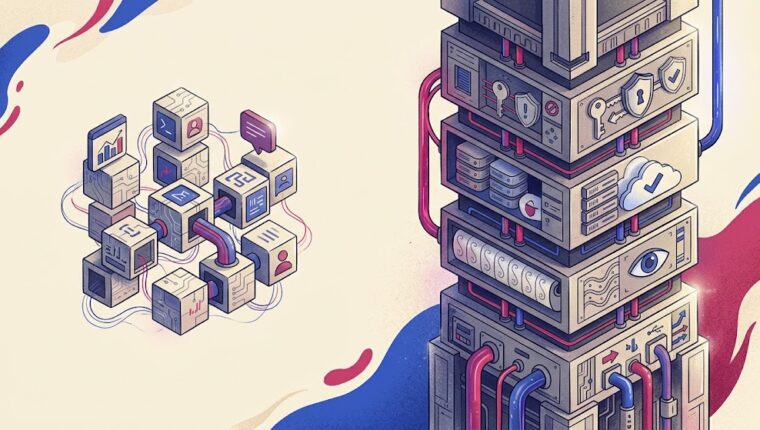

Most workplace AI tools wait for you to open a separate chat. Claude Tag is built around a different idea: put the agent inside the channel where the work is already happening.
Anthropic says teams can add Claude to selected Slack channels, connect tools, data, and codebases, then tag it to complete tasks. Admins can set token-spend limits and review logs showing what Claude did and who requested it.
Claude Tag turns a shared Slack channel into a place where an AI agent can receive context, use connected tools, and complete delegated work.
UAE SMEs using Slack for customer support, product, engineering, operations, finance, or internal coordination.
Delegate repetitive research, triage, drafting, coding, and follow-up work without forcing employees into a separate interface.
Broad channel or tool access can expose sensitive context or let an agent take actions beyond the original task if permissions are poorly designed.
Claude Tag replaces the previous Claude in Slack app as Anthropic expands the agent model across team workflows.
Start in one private test channel with one narrow tool, a hard spend limit, and an owner who reviews every action.
Teams that can give Claude a narrow, auditable role with clear channel and tool boundaries.
Availability depends on Slack access, a paid Claude account, the current rollout, and admin permissions.
Slack scopes, connected tools, channel access, token spend, audit logs, feature availability, and Anthropic's evolving permission model.
That can save a lot of switching. It also turns a chatbot question into an access-control question. Before an SME asks what Claude can do in Slack, it should decide what Claude is allowed to see and what it is allowed to change.
This Is More Than Claude in a Chat Window
Anthropic describes Claude Tag as a shared agent that can join selected Slack channels and work with the tools, data, and codebases an organization chooses to connect.
Within a channel, teammates can tag Claude and delegate work. Anthropic says the agent can break a task into stages, complete the work, and return to the Slack thread with the result.
That sounds simple because the interface is familiar. The underlying permission model is not. The same task-by-task thinking in The Best AI Model May Be the Wrong Business Choice applies here too: give the agent only the capability and access the job actually needs.
Slack Context Is Already Work Context
Slack’s help documentation says that when Claude is mentioned in a channel it can use the 20 most recent messages as context. In a thread, it can use up to the 50 most recent replies.
That means the prompt is not only the sentence after @Claude. Recent conversation can become part of the context the model uses to answer.
For a product channel discussing public launch copy, that may be harmless. For a finance, HR, legal, incident-response, or customer-escalation channel, the surrounding messages can be far more sensitive.
Then Come the Connected Tools
Anthropic’s design goes beyond reading Slack. Organizations can connect Claude to tools, data, and codebases. Once that happens, the risk model changes from ‘can the model read this?’ to ‘what can the model do with what it reads?’
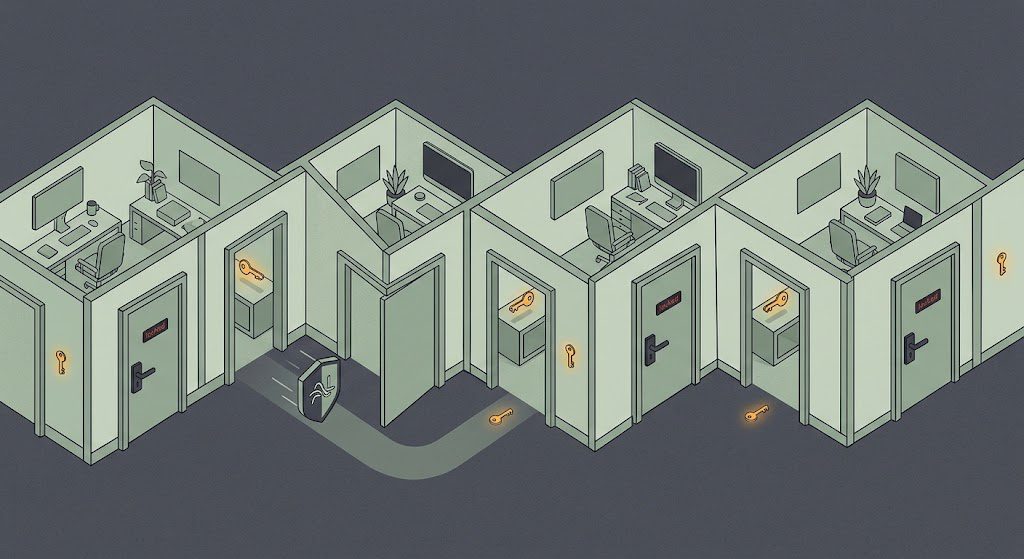
A strong setup gives the agent the smallest set of permissions that lets it complete the job. A support-triage agent does not need payroll access. A coding agent does not need a customer export. A research agent does not need permission to deploy.
The same rule applies to money. In Your AI Agent Is Getting a Wallet, we argue that an instruction is weaker than a technical limit. Access control should be enforced by the system, not just written in the prompt.
Anthropic Gives Admins Some Useful Controls
Anthropic says administrators can set spending limits at the organization and channel level and can see a log of what Claude has done and who requested each task.
The company’s own setup instructions tell teams to connect Slack, give Claude access to tools, set a monthly spend limit, and test it in a private channel before wider use.
Those are sensible controls. They are also a clue about the product category. If an AI needs spend limits and action logs, you should treat it like an operator with privileges, not a passive writing assistant.
The SME Setup We Would Use
Create one narrow job description. Choose the single channel where that job happens. Connect only the minimum data source or tool required. Keep the first deployment private.
Set a spend ceiling before inviting more users. Define which outputs require human approval. Decide who reviews logs and how often. Give someone explicit responsibility for removing access when the experiment ends.
Then test failure cases, not just success cases. Tag Claude with an ambiguous request. Give it conflicting context. Put a sensitive message nearby. See what happens before you assume the boundaries work.
Separate Agent Identities as the Use Cases Grow
If Claude eventually works in support, product, coding, and operations, resist the temptation to create one all-seeing agent.
Different roles should have different channel membership, connected tools, and approval rules. That makes logs easier to understand and limits the blast radius if a prompt or permission goes wrong.
Our sandbox analysis, The AI Did Not Escape. The Sandbox Failed., reached the same conclusion from a security incident: the important question is not whether the AI behaves perfectly. It is how far the system lets it go when something fails.
The Bottom Line
Claude Tag is a natural interface for agentic work because Slack already contains the conversation, people, decisions, and handoffs surrounding a task.
That is also why permissions matter more here than in an isolated chatbot. The value comes from context. The risk comes from context plus authority.
For a UAE SME, the right first deployment is small, private, logged, capped, and reversible. If the agent proves useful under those conditions, expand one permission at a time.
Sources
• Anthropic: Claude Tag launch, channel model, tool connections, spend limits, logs, and rollout – https://www.anthropic.com/news/introducing-claude-tag
• Slack: Claude in Slack setup, access, context limits, and availability – https://slack.com/help/articles/53532192117267-Use-Claude-in-Slack
• Anthropic: Webinar summary on Claude Tag permissions and real team workflows – https://www.anthropic.com/webinars/how-anthropic-works-with-claude-tag-in-slack
Robius.news — Dubai, UAE — 2026 | Built to be first. Built to be trusted.