

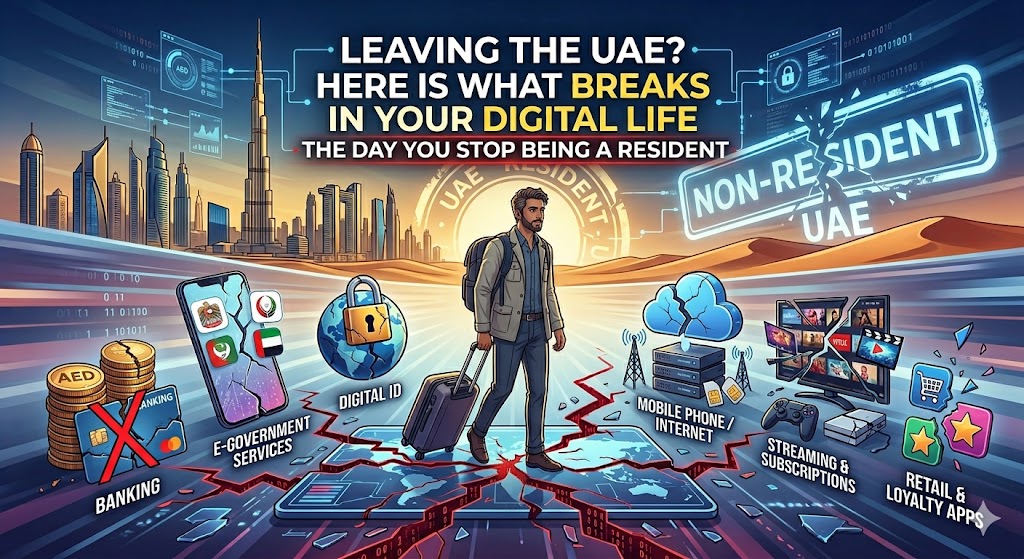
Leaving UAE digital life
Every year, hundreds of thousands of people leave the UAE. The physical checklist is everywhere. Cancel the visa. Close the bank. End the tenancy. Sell the car.
The part nobody maps is the digital one. The day your residency ends, a quiet chain reaction starts inside your phone. Logins stop working. Codes stop arriving. And it usually happens after you have already flown, from a country where you cannot just walk into a branch.
Here is what actually breaks, why, and the order to do things so you do not get locked out.
The One Thing That Breaks Everything: Your UAE Phone Number
Your UAE mobile number is the master key to your digital life here. Almost everything sends a one-time code to it.
Your bank app. UAE Pass. Government portals. WhatsApp, if it is registered to that number. Even your Google and Apple account recovery, if you set them up with it.
Lose the number and you lose the codes. Lose the codes and you are locked out of all of it at once. A postpaid line needs a proper termination and clearance. A prepaid line simply expires after a stretch of no use, and then the number is recycled to a stranger. Either way, it stops being yours.
The fix is simple but it has to happen early. Before you give up the number, move every important account’s login and recovery to an email address or an international number you will keep. Do this weeks before you fly, not the night before.
UAE Pass: Your Master Key, and What Happens to It
UAE Pass is the national digital identity. It logs you into more than 6,000 government, semi-government, and private services, and it signs documents for you.
It rests on two things: your Emirates ID and your UAE mobile number. Every login leans on a code sent to that number.
When your visa is cancelled, your Emirates ID is surrendered to immigration and it expires. When your number dies, the code path dies with it. So UAE Pass effectively stops working for you once you leave, and with it goes your easy access to anything that used it as the front door.
Before you go, download or email yourself everything you can only reach through a UAE Pass login. Final statements, certificates, official records. Once you are out and the number is gone, getting them back is hard.
Your Bank Account: It Does Not Auto-Close, But It Does Get Strangled
Here is a myth worth killing. Cancelling your visa does not automatically close or freeze your bank account. Under UAE Central Bank rules, an account is not frozen simply because your residency ended.
But this is what does happen. Once your Emirates ID expires, the bank runs compliance checks. It can suspend your cards, block transfers, and disable online banking until you update your status. Some people see restrictions within days. Banks usually give a grace window of 30 to 60 days to update documents.
If you stop using the account, it goes dormant after roughly 6 to 12 months.
To actually close it, you must clear every dirham you owe, including credit cards and loans, bring the balance to zero, and in most cases visit a branch in person with your Emirates ID, passport, and debit card. The bank then issues a closure certificate. Keep that certificate. It is your proof of a clean exit.
The Order of Operations Nobody Tells You
This is the real trap, and it is about sequence, not steps.
If you cancel your visa first, your Emirates ID is gone, which can lock you out of the very online banking and UAE Pass logins you need to finish closing accounts and pulling records. So your digital wind-down has to happen before the visa cancellation, while your ID and number still work.
Here is the order that keeps you out of trouble.
1. Move your codes. Shift every account’s login and recovery off your UAE number to an email or a number you are keeping.
2. Download your records. Bank statements, tenancy papers, DEWA bills, certificates, and anything behind a UAE Pass login.
3. Settle and close financial products in order. Credit cards and loans first, then the bank account. Collect clearance letters.
4. Handle the car and tolls. Clear and deregister Salik, settle any Abu Dhabi Darb balance, and sell, export, or deregister the vehicle.
5. Close utilities after your move-out, and after Ejari, not before. DEWA cross-checks your Ejari record, so cancelling Ejari first can make the disconnection fail.
6. Terminate the phone line late, once nothing else still depends on it for a code.
7. Cancel the visa and surrender the Emirates ID last.
The Small Things That Bite Later
Salik and fines. An unpaid Salik balance or traffic fine can block your visa cancellation. Clear it and deregister the tag, or transfer it with the car when you sell.
Subscriptions on your UAE card. Talabat Pro, noon, Careem, streaming services, your gym, iCloud. They keep charging a card that may get blocked, which creates failed payments and sometimes debt-collection noise. Cancel them before the card dies.
WhatsApp. If it is tied to your UAE number, back up your chats and move the account to your new number before the UAE line lapses. Leave it too late and you can lose the account and the history.
Google, Apple, Microsoft. Check that your recovery is not tied only to the UAE number or an Emirates ID-based login. If it is, you can be locked out of your own email and photos.
The six-month rule. If you do not formally cancel your residency, it auto-cancels after about six months outside the country, and returning later can require ICP permission and extra paperwork. Cancel properly and keep a clean file.
The Bottom Line
The physical exit is well documented. The digital exit is where people get stranded, almost always because of one dead phone number that was quietly holding all their codes.
Do the digital wind-down first, while you still have a working Emirates ID and a live UAE number. Move your codes, pull your records, close your accounts in order, kill the phone line late, and cancel the visa at the very end.
A few weeks of small admin now saves you months of being locked out from another time zone. Leave clean. The version of you trying to log in from abroad will be grateful.
Sources
• UAE Digital Government advisory on residence visa cancellation (u.ae) — https://u.ae/en/information-and-services/visa-and-emirates-id/residence-visa
• Khaleej Times: bank accounts after visa cancellation (Central Bank dormancy rule) — https://www.khaleejtimes.com/uae/legal/uae-residents-bank-account-visa-cancellation
• UAE Pass official page (ICP) — https://icp.gov.ae/en/uae-pass/
• Leaving the UAE permanently: departure sequence and checklist — https://www.uaeexperthub.com/leaving-uae-permanently-checklist/
Robius.news — Dubai, UAE — 2026 | Built to be first. Built to be trusted.